IFSS 2026 Guidelines for Presentations
Topic outline
-
Oral presentations can either be done live (on-site or online) or pre-recorded and then played back live during your session.
For pre-recorded presentations, you or your co-author/s must register for the conference and attend the session in order to facilitate the playback of your pre-recorded presentation file in case of technical difficulties.
Each presentation should not be more than 10 minutes in length. Since time usually goes very fast when one is presenting, it would be best to state your key points or findings at the beginning. Keep your introductory remarks very short (not more than 1 minute), and avoid reading every line on your slides.
To ensure that you are able to make a complete presentation within the time allotment, do not prepare too many slides. If you spend one minute per slide, then the maximum number of slides for 10 minutes is 10 slides. If there is at least one slide that you need to explain further, then you should have fewer than 10 slides.
💡Tip: After you have prepared your presentation, review each slide to see how essential it is to your presentation. And then remove slides that are not necessary. Put key points first in case you run out of time.
-
Poster presentations are only applicable to registered on-site participants. There will be no online poster presentations.
However, if you are registered as an online participant and your submission has been accepted as a poster presentation, your poster will still be displayed on the virtual conference platform.
To poster presenters who will attend either online or on-site, you can submit your poster files via the Indico platform (please see guide on how to navigate indico and submit presentation materials) until 02 October 2026. Please rename your file using the format LastName_FirstName_Poster (e.g. DelaCruz_Juan_Poster) before uploading.
-
Guide on how to submit your presentation materials through the Indico Platform
Go to the page of your abstract. There are two ways to do this:
- Follow steps 1 and 2, or
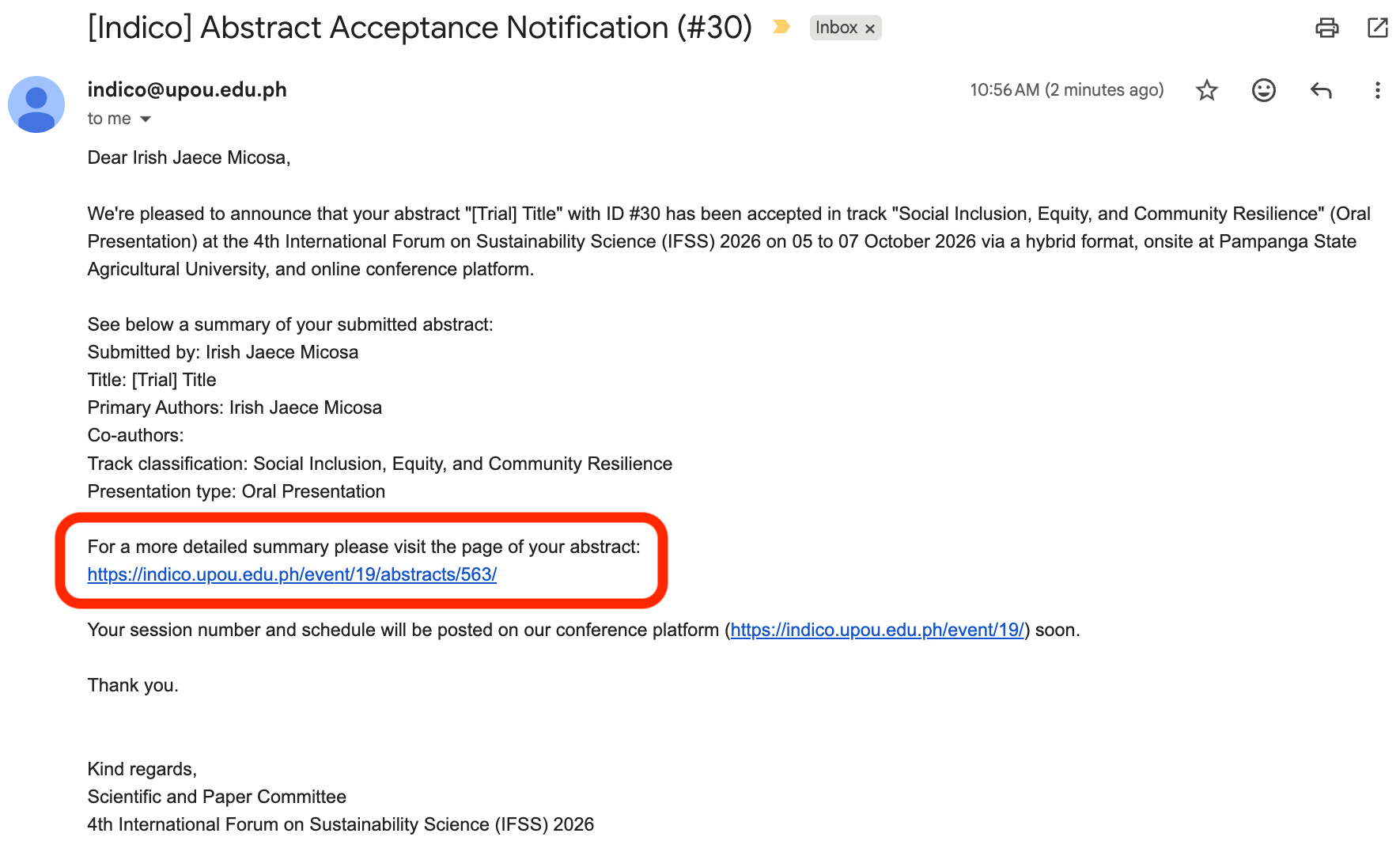
- On the Abstract Acceptance Notification email, click on the page of your abstract. Please see the highlighted part on the image below:
-
-
Step 2:
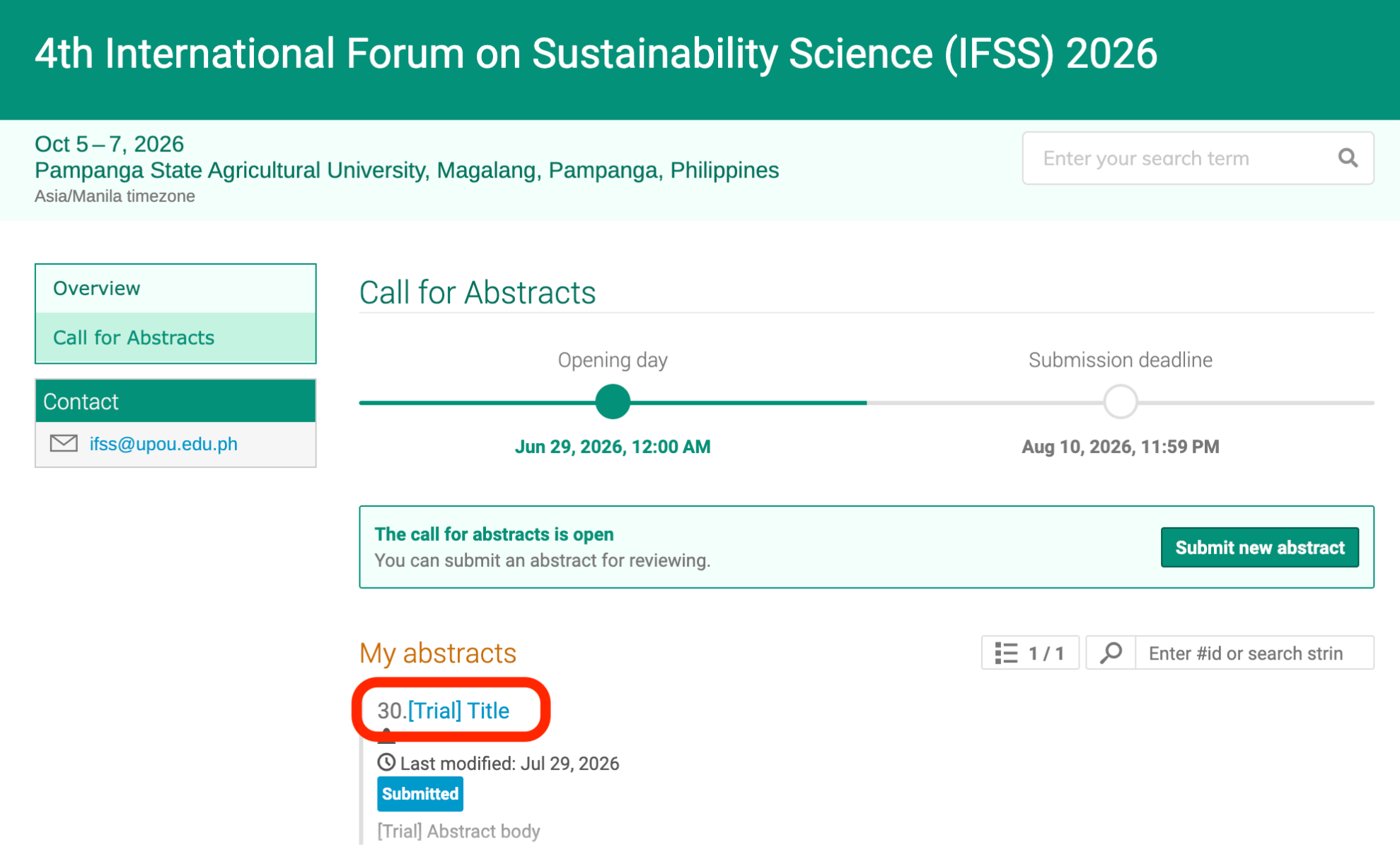
Click the title of your abstract (highlighted in blue).
-
Step 3:
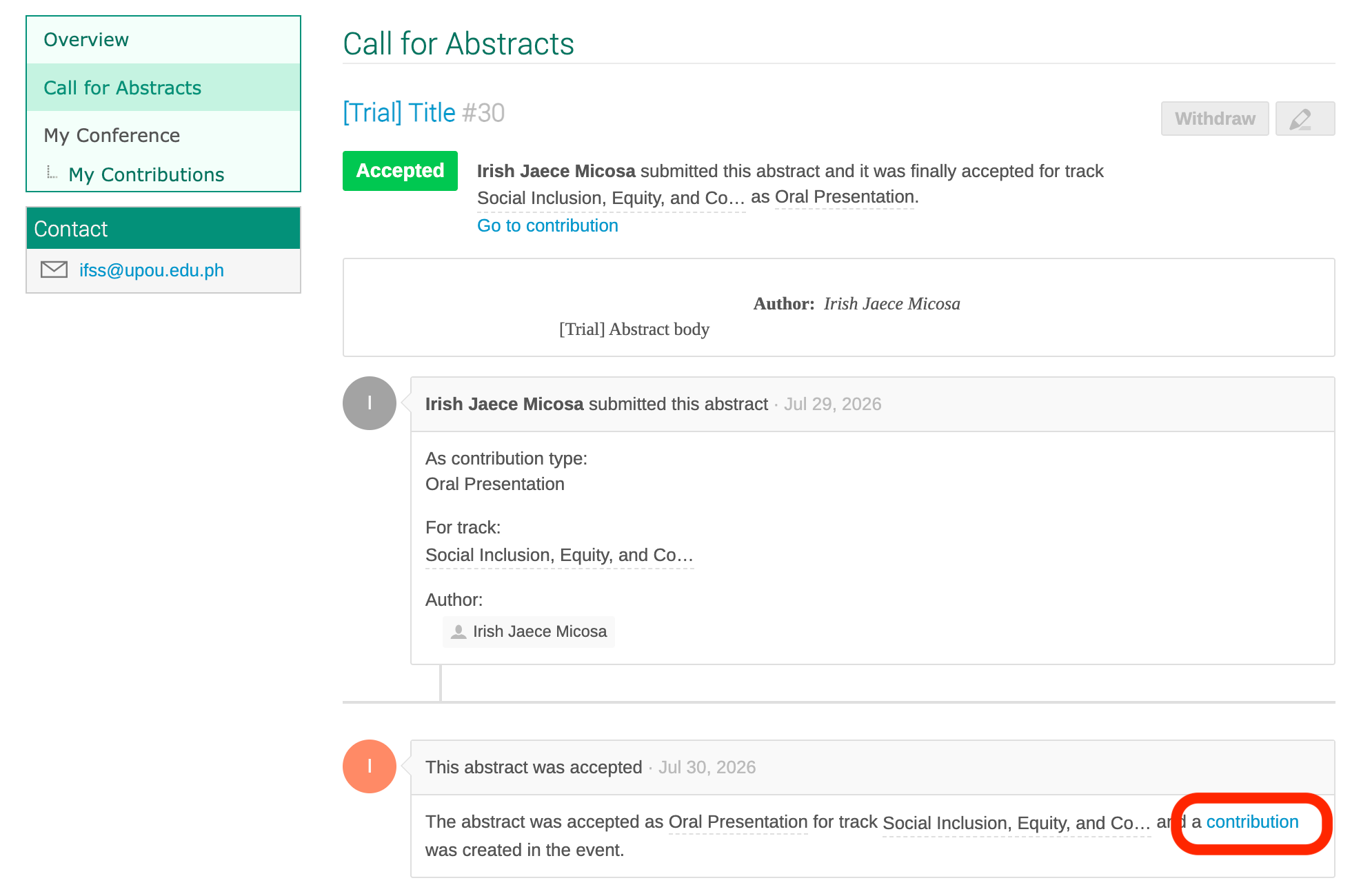
You will be redirected to the page of your abstract. Please see the image below for reference and then click on the contribution.
-
Step 4:
You will be redirected to the next webpage (see image below). Click on the icon on the right of the Presentation Materials
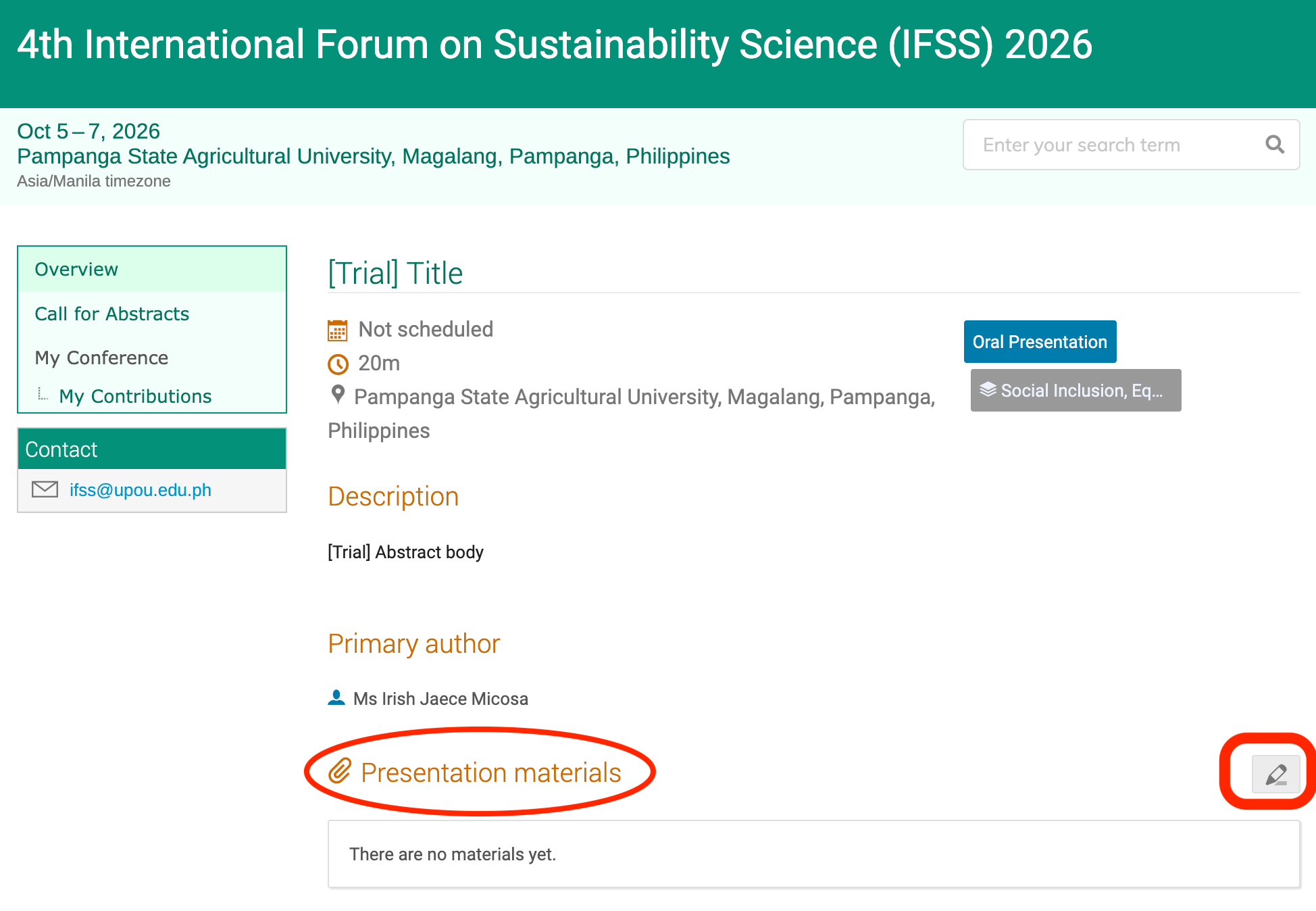
-
Step 5:
Manage material will pop up (see image below). You have the option to upload files or add link (for recorded presentations or if the file size is too large).
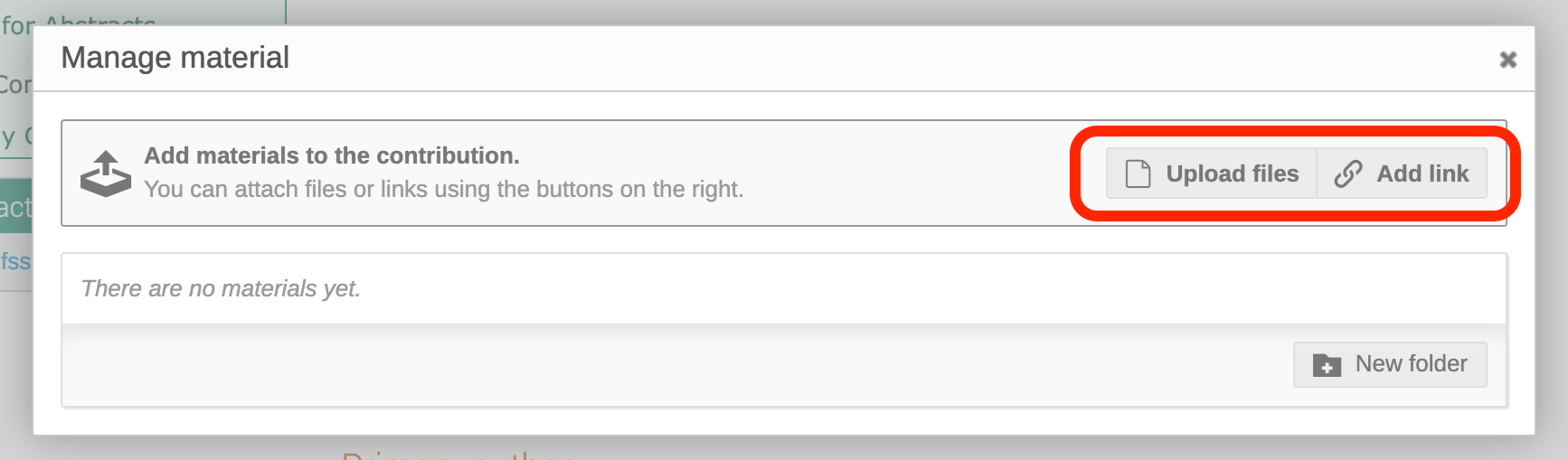
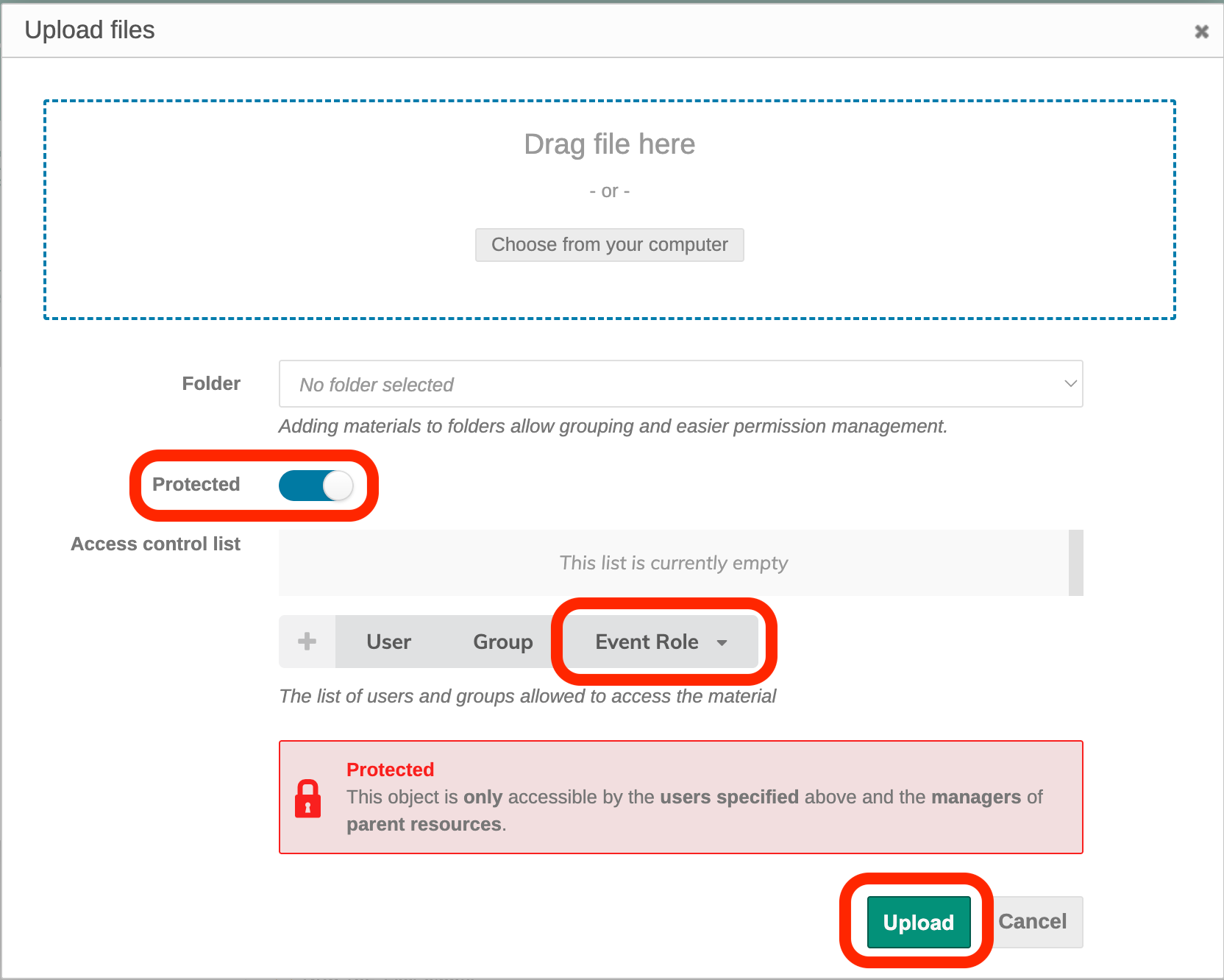
💡: You may upload your files and limit the access by clicking on the protected. Ensure that the administrator of Indico can access your submission by clicking on the event role and add the judge and the reviewer. Lastly, click upload.